
WARNING: The Returns feature is currently in beta. Features and reporting views are actively being refined, and you may experience occasional adjustments as updates roll out. Reach out to Technical Support if you encounter unexpected behavior.
NOTE: To start tracking returns in your ProfitMetrics dashboard, contact ProfitMetrics Technical Support to enable the returns feature on your account and update your ProfitMetrics Shopify app to the latest version to ensure return events and line item adjustments sync correctly.
Configuring Dashboard Return Settings
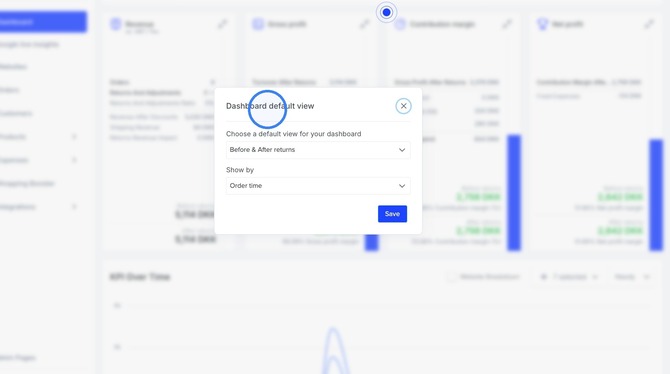
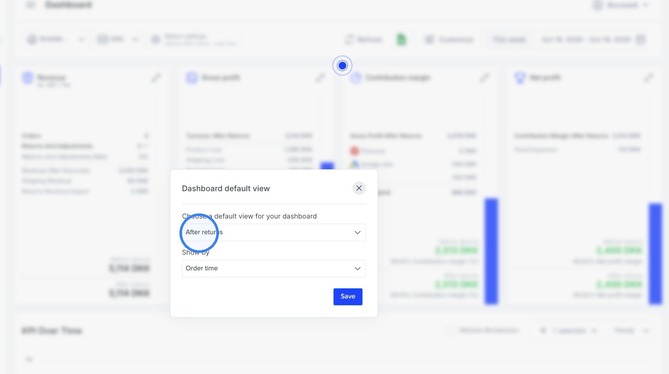
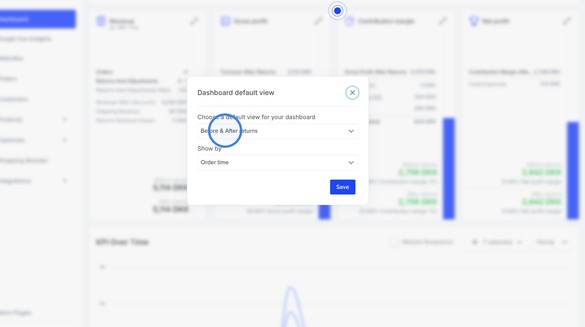
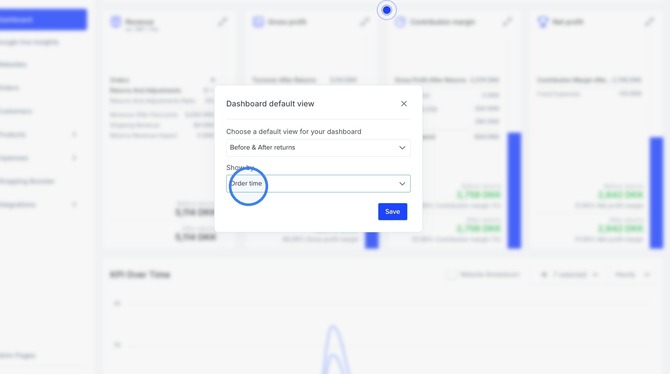
You can adjust how returns appear on your dashboard by clicking the Return settings button located at the top left of the dashboard. This opens the Dashboard default view settings modal.
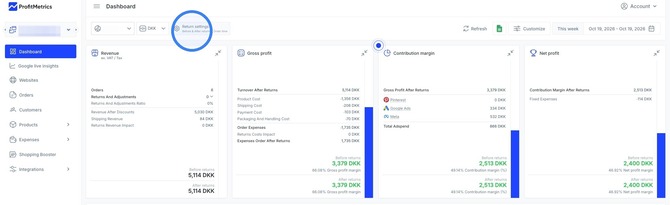
The following options are available:
- Choose a default view for your dashboard to determine how figures are displayed across your cards.
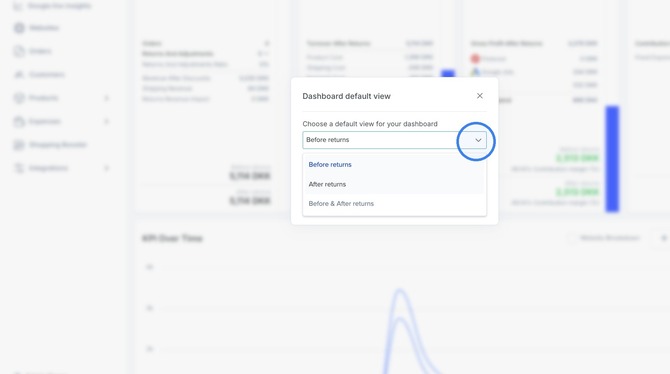
- Select Before returns to evaluate gross order performance before any return deductions.
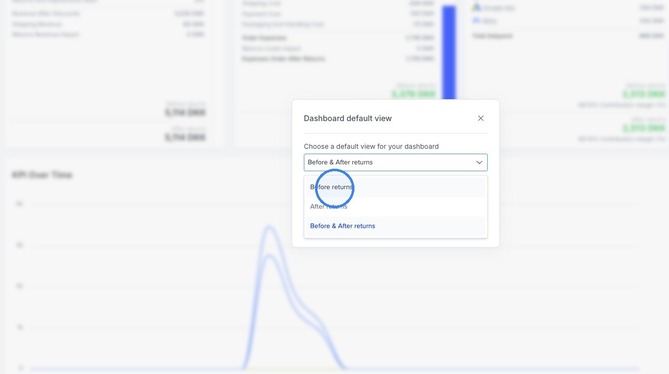
- Select After returns to view net performance after returns and associated adjustments are applied.
- Select Before & After returns to view a comparative breakdown showing both sets of figures side by side.
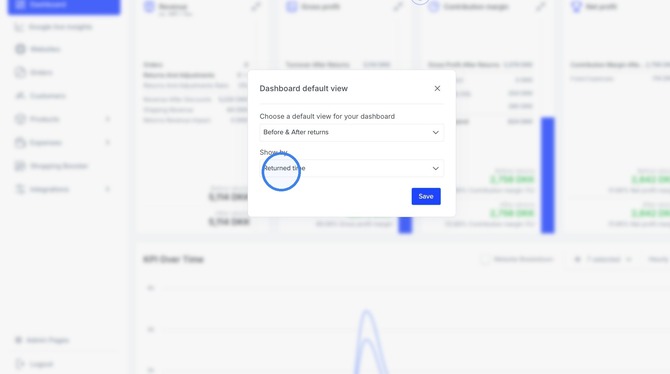
- Set the Show by filter to determine how return metrics are attributed over time.
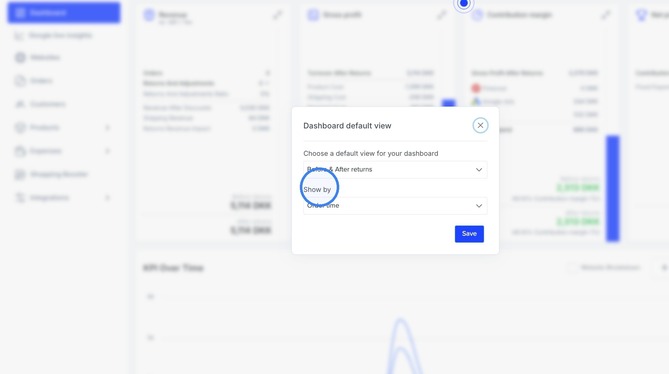
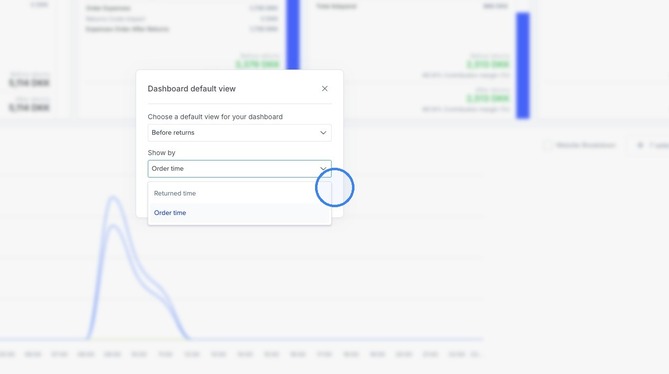
- Choose Order time to attribute returns back to the original order creation date.
- Choose Returned time to attribute the return financial impact to the date the return was processed.
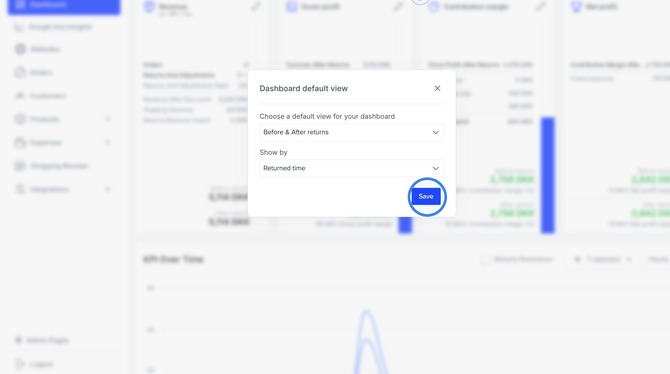
- Click Save to apply your preferences to the dashboard.
Dashboard Impact Across Key Metrics
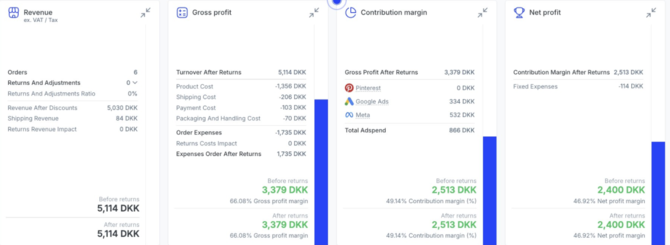
When the Before & After returns view is enabled, your dashboard cards reflect the specific impact of returned items:
- The Revenue card displays the total count of returns and adjustments, the returns ratio percentage, the total negative revenue impact, and the resulting turnover after returns.
- The Gross Profit card breaks down order expenses, returns cost impact, turnover after returns, and both before and after gross profit margins.
- The Contribution Margin card recalibrates your marketing performance against the post-return gross profit to show true contribution margin and margin percentages.
- The Net Profit card accounts for fixed costs against your adjusted contribution margin to reveal accurate bottom-line profit.
This feature will be available for all integrations in the near future, but for now, it is only supported for Shopify integrations.