
Part 1: Connect with Meta
Part 2: Connect with the Conversion Booster
Part 3: Choose Account(s) and Import Ad spend
Part 4: Set up custom Columns
Connect with Meta
-
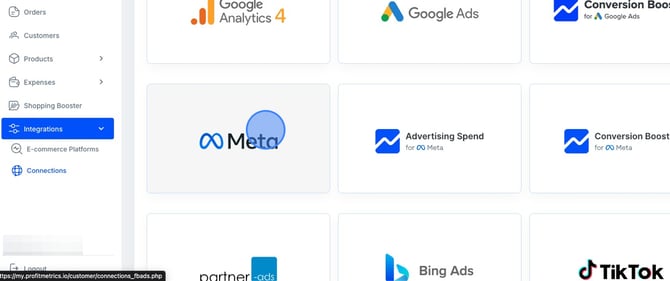
Go to Integration > Connection > Meta
-
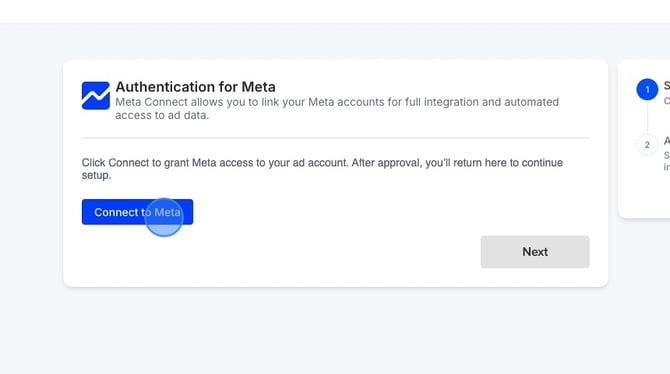
Click "Connect to Meta". You will then be taken to the Meta login window. Log in to Facebook, and once the authentication is complete, you will be redirected back to ProfitMetrics. From there, simply select the ad account you want to connect, and then connect the Conversion Booster, which will serve as the tracking for Meta.
Conversion Booster
-
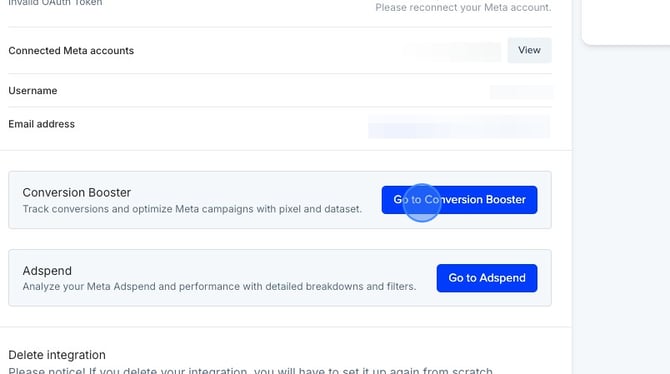
Click "Go to Conversion Booster"
-
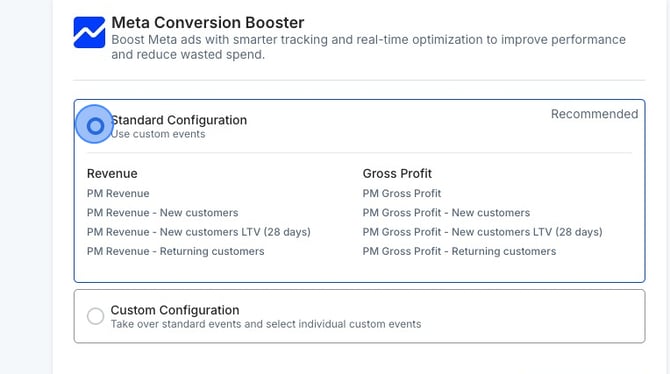
From here, you will see two configuration options. We recommend selecting the Standard configuration, which will automatically create 8 new custom events in Meta.
If you choose the Custom configuration, you will need to manually decide which events and parameters you want to send. However, for most setups, the Standard option is the best approach, as it ensures that all 8 ProfitMetrics custom events are created correctly and immediately ready to use in Meta.
-
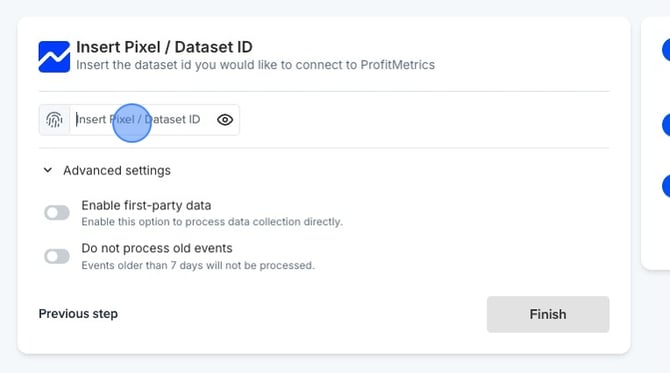
And from here, add the Pixel ID. Once that is added, you can proceed to the next step and complete the setup.
-
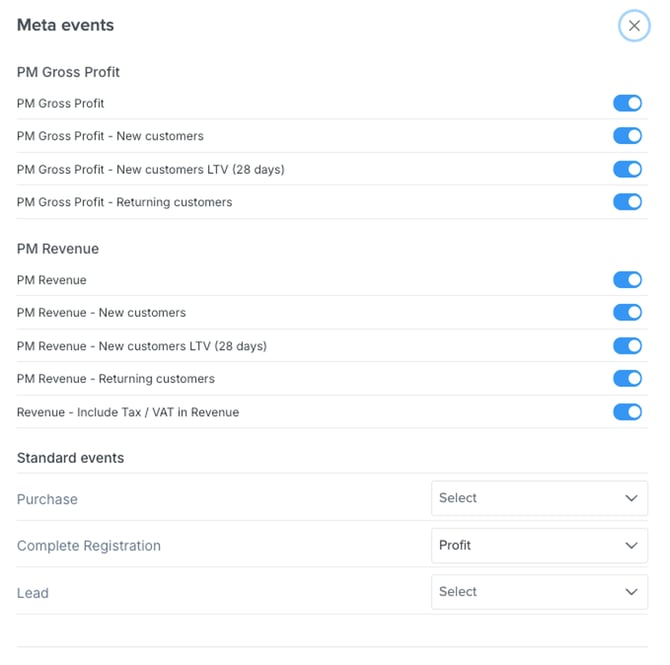
Then you will see the list of events we send to Meta. In total, there are eight custom events: four based on profit and four based on revenue. Please click this link if you want to understand better how to use them and tailor them for bidding inside Ads Manager.
Choose Account(s) and Import Ad spend
Set up custom Columns
- Done ✅